
Resolve more with less.
Basegent is an AI-powered support agent that answers questions from your knowledge base, escalates confidently to your team when needed, and gets smarter after every conversation.
Resolves
Questions automatically
Escalates to
Human agents, in context
Integrates via
Script tag or REST API
Everything you need
Support that works while you sleep
From instant AI responses to smart escalations and a self-updating knowledge base — Basegent handles the full support lifecycle.
AI Support Agent
AI that answers instantly
Basegent's AI resolves customer questions automatically using your knowledge base. No canned responses — it understands context and gives accurate, relevant answers.
- Instant responses, 24/7
- Context-aware answers
- Escalates when unsure
Self-updating Wiki
A knowledge base that updates itself
Connect your data sources and Basegent ingests, indexes, and keeps your wiki in sync — automatically. Your team edits when needed; the AI fills the gaps.
- Auto-ingested from sources
- Gap detection
- Full edit history
Inbox & Escalations
Smart escalation to your team
When the AI isn't confident, it escalates to the right human immediately. Your support team gets full conversation context so they can jump in without repeating questions.
- Confidence-based escalation
- Full conversation history
- Assign & resolve in inbox
Analytics & Health
Analytics that drive improvement
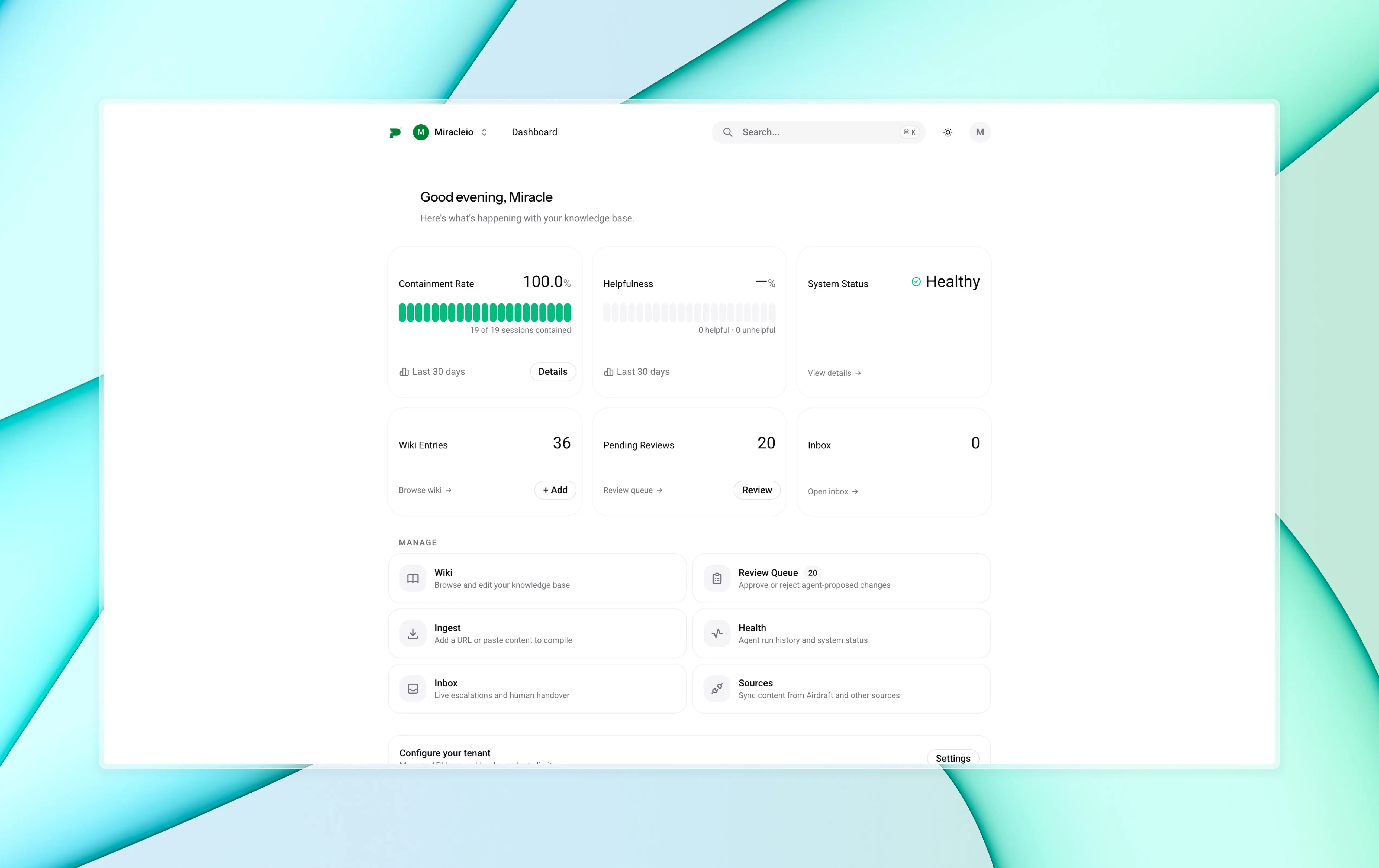
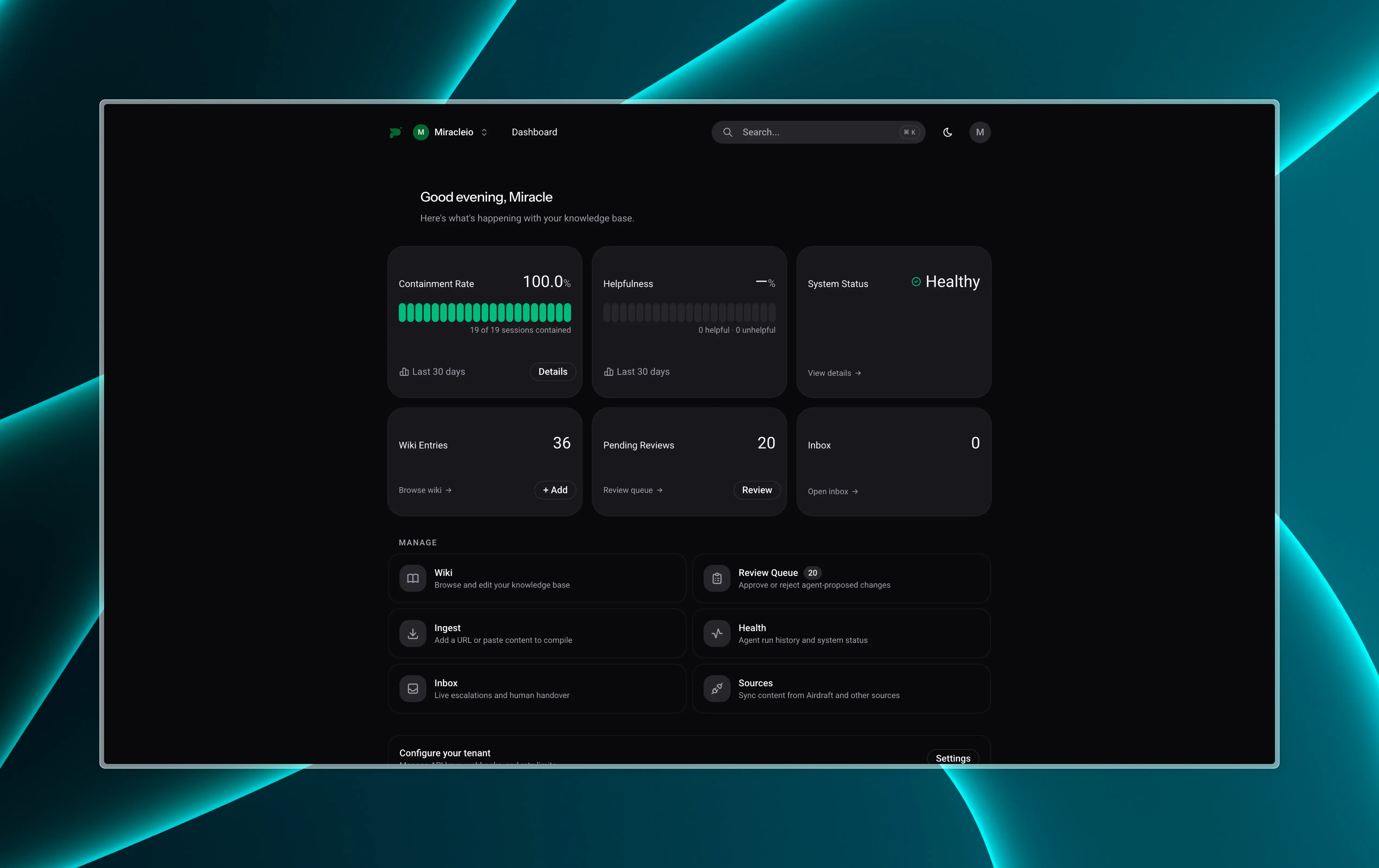
Track resolution rates, escalation trends, and knowledge gaps across every conversation. Basegent tells you what your customers ask most and where your docs fall short.
- Resolution & escalation rates
- Knowledge gap reports
- System health dashboard
How it works
Live in minutes, not weeks
No complex integrations. Connect your docs, embed the widget, and your AI support agent is answering questions the same day.
Connect your sources
Point Basegent at your existing docs, URLs, or files. The ingestion agent indexes everything and builds your initial knowledge base.
Embed the widget
Add one script tag to your site. The chat widget appears instantly — no iframes, no slow loads, fully styled to match your brand.
Invite your team
Add trainers, support agents, and viewers. Everyone gets the right access — admins configure, trainers improve the wiki, support agents handle escalations.
Review, refine, improve
Use the review queue and analytics dashboard to catch gaps and improve answers over time. Your knowledge base gets smarter with every conversation.
Use cases
Built for any product, any team
If your users ask questions, Basegent can answer them. It adapts to your knowledge base and your team's workflow — however support looks for you.
SaaS product support
Answer how-to questions, surface docs, and handle billing queries automatically — so your team focuses on the issues that actually need a human.
E-commerce & retail
Order status, returns, sizing, product details — resolve the questions your support team answers a hundred times a day, instantly.
Developer tools & APIs
Surface the right docs, code examples, and error explanations directly in context. Great answers, zero wait.
Internal team helpdesks
HR policies, IT procedures, onboarding docs — Basegent works as an internal assistant, answering employee questions before they land in a ticket.
Agencies & client portals
Deploy a branded support agent for each client from a single account. Separate knowledge bases, shared billing.
Education & community platforms
Handle FAQs, guide users through courses, and escalate to instructors or mods when a human touch is needed.
Security
You control what the AI can do
Basegent is built so your team — not the model — has final say. Role permissions, signed webhooks, scoped API keys, and tunable confidence thresholds keep everything in your hands.
Role-based access control
Admin, trainer, support, and viewer roles keep the right people in the right places. Nothing sensitive is exposed to the wrong account.
API keys with scoped permissions
Create multiple API keys with read-only or read-write scope. Rotate or revoke them instantly from your settings.
Webhook signature verification
Every webhook event is signed with HMAC-SHA256. Verify payloads on your end — Basegent never sends unsigned events.
Confidence thresholds you control
Set the exact confidence score at which the AI stops answering and escalates to a human. Tune it per environment in your settings.
Integration
One script tag. Full API. Your stack.
Drop the widget onto any site, or go deeper with official packages for TypeScript, React, and the CLI — everything you need to build on top of Basegent.
@basegent/reactReact hooks & components
Drop a fully-styled chat widget into any React app with <BasegentWidget />, or use useChat() to build your own UI on top of the streaming session API.
@basegent/sdkTypeScript SDK
The official HTTP client for Node.js, edge runtimes, and the browser. Query sessions, manage the wiki, send messages, and handle webhooks — fully typed.
@basegent/cliCLI
Ingest resources, query the knowledge base, review escalations, and configure tenants from the terminal — great for CI/CD pipelines and local development.
@basegent/clientFramework-agnostic client
The low-level API client used internally by the React and widget packages. Use it directly when you need Basegent in Vue, Svelte, or vanilla JS without any React dependency.
Get started
Your AI support agent is ready when you are
Connect your docs, embed the widget, and start resolving customer questions automatically. Setup takes minutes.